How to Check Your National Identity Number (NIN) Using USSD Codes and Online 2025
Are you struggling to find your National Identity Number (NIN)? The good news is you can retrieve it in minutes without the hassle of visiting a registration centre. This guide will walk you through the steps to recover your NIN using simple USSD codes across MTN, AIRTEL, GLO, and 9mobile networks, plus how to check online. Curious about the process? Let’s dive in!
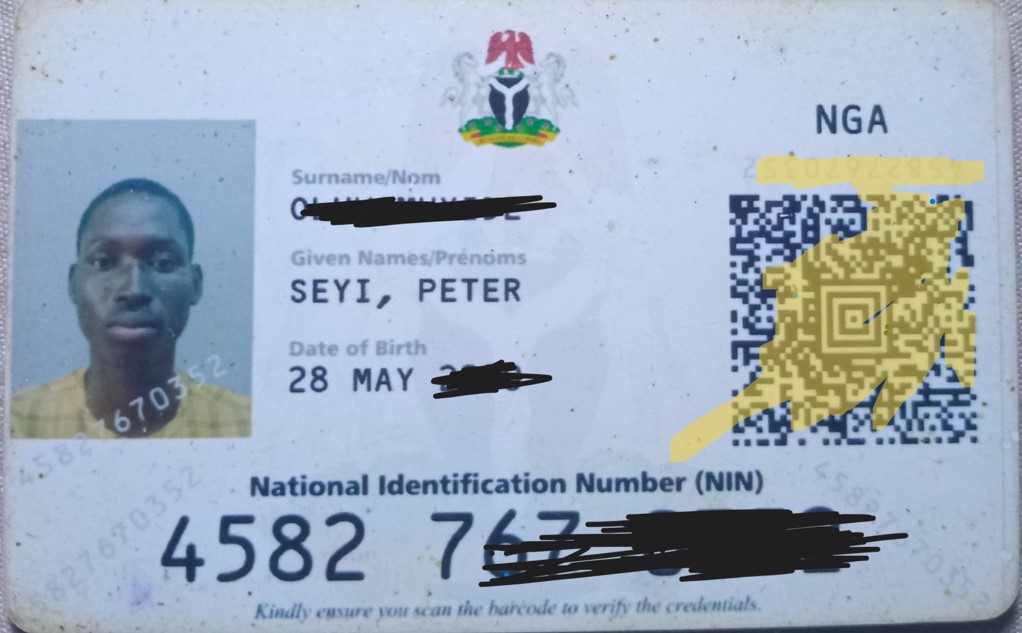
Lost Your NIN Slip? Here’s How to Retrieve Your National Identity Number (NIN) Using USSD and Online
The National Identity Number (NIN) has become an indispensable part of life in Nigeria. From SIM card registration to opening bank accounts, accessing government services, and even participating in crucial processes like JAMB registration, your NIN is a unique identifier that’s increasingly essential. But what happens when you misplace that vital NIN slip? Don’t panic! The National Identity Management Commission (NIMC) has provided multiple avenues to help you retrieve your NIN conveniently, both online and offline via USSD codes.
This blog post will guide you through the official and reliable methods to check your NIN, ensuring you can access this crucial information whenever you need it. We’ll break down the USSD options for different mobile networks and explore the online portal, offering clear, step-by-step instructions to make the process seamless.
Why is Knowing Your NIN Important?
Before we dive into the “how-to,” let’s quickly reiterate why having easy access to your NIN is crucial:
- SIM Card Registration: Telecommunication companies require your NIN for SIM card registration and verification.
- Banking and Financial Services: Opening and operating bank accounts often necessitates NIN verification.
- Government Services: Accessing various government services, including passport applications, driver’s license renewals, and social welfare programs, increasingly requires NIN.
- Educational Purposes: As you know, the Joint Admissions and Matriculation Board (JAMB) mandates the use of NIN for registration.
- Security and Identification: Your NIN serves as a primary form of identification, helping to prevent fraud and enhance security.
Losing or forgetting your NIN can lead to inconveniences in these essential areas. Thankfully, NIMC has made the retrieval process relatively straightforward.
Method 1: Checking Your NIN Using USSD Codes (Offline)
For those without immediate internet access or who prefer a quick and direct method, USSD codes offer a convenient way to retrieve your NIN. It’s important to note that this service typically incurs a small fee, which will be deducted from your mobile airtime.
Here are the official USSD codes for the major mobile networks in Nigeria:
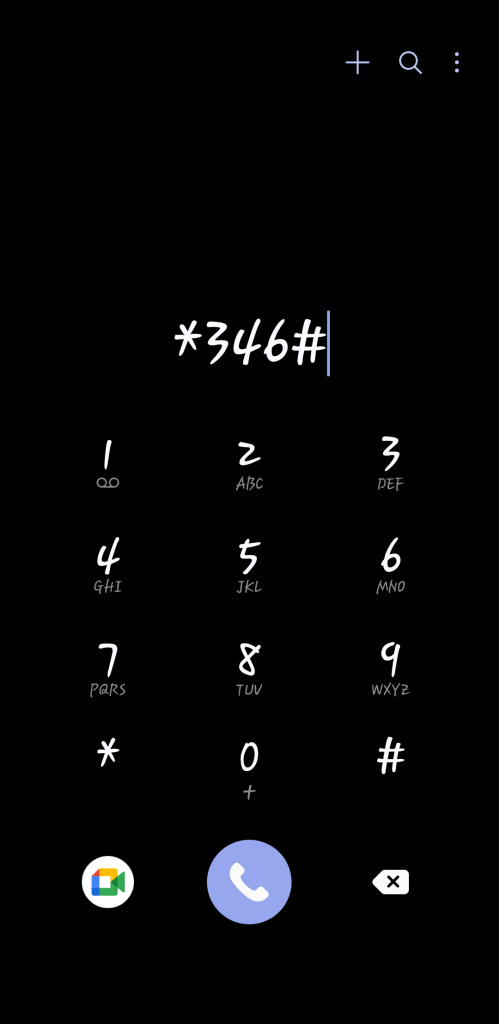
- MTN: Dial *346# and follow the on-screen prompts. You will likely be asked to confirm your NIN retrieval request.
- Airtel: Dial *346# and follow the on-screen prompts. Similar to MTN, you might need to confirm your request.
- Glo: Dial *346# and follow the on-screen prompts.
- 9mobile (formerly Etisalat): Dial *346# and follow the on-screen prompts.
Important Considerations for USSD Retrieval:

- Airtime Balance: Ensure you have sufficient airtime on your phone to cover the service fee.
- Registered SIM: The USSD code will likely retrieve the NIN associated with the SIM card you are currently using. This means you need to use the same phone number you used during your NIN registration.
- Follow Prompts Carefully: Pay close attention to the on-screen instructions and provide the necessary responses accurately.
- Service Availability: While generally reliable, network issues might occasionally affect the availability of this service. Try again later if you encounter any problems.
Method 2: Checking Your NIN Online (Through the NIMC Portal)
For individuals with internet access, the NIMC portal offers another way to access your NIN. However, it’s crucial to understand that you cannot directly retrieve your NIN for free through the NIMC website if you have lost it entirely. The online portal primarily allows individuals who already have their NIN to access and verify it, or to manage their NIN-related information.
The Official NIMC Mobile App (Recommended for NIN Management):
The most robust and recommended online method for managing your NIN is through the official NIMC Mobile App. This app, available on both Android and iOS, allows you to:
- View your Digital NIN: Once logged in, you can access a digital representation of your NIN.
- Generate a Virtual NIN: This temporary, tokenized version of your NIN can be used for transactions where you need to provide your NIN without revealing the actual number.
- Link your NIN to your phone number: You can manage the phone numbers associated with your NIN.
- Verify your NIN: You can use the app to verify the NIN of other individuals or entities.
How to Use the NIMC Mobile App:
- Download the App: Search for “NIMC Mobile ID” on the Google Play Store or Apple App Store and download the official app developed by NIMC.
- Self-Service Enrollment (if you haven’t enrolled): If you haven’t enrolled for your NIN yet, the app may offer a self-service enrollment option (follow the in-app instructions). However, physical capture of biometrics is usually required at an enrollment center to finalize the process.
- Login/Link Your NIN: If you have already enrolled, you will likely need to link your NIN to the app using your registered phone number and potentially other verification details. Follow the in-app prompts carefully.
- Access Your Digital NIN: Once successfully logged in and linked, you should be able to view your digital NIN within the app.
How to Check Your NIN Online
To check your NIN online, follow these steps:
- Download the NIMC MWS Mobile App:
- iPhone: Download here
- Android: Download here
- Install and Launch the App: Open the app and click “I need a pin.”
- Get Your User ID and OTP: Note down the user ID and OTP displayed in the “Get OTP” section.
- Access the NIMC Portal: Use the user ID and OTP at the NIMC online portal to view your details as shown on your NIN slip.
- Reprint Your NIN Slip: From the portal, you can choose to reprint your NIN slip if needed.
How to Check If Your NIN Card Is Ready
If you want to check whether your National Identity Card is ready for collection, head to the NIMC website. Follow these steps:
- Scroll down to the ‘e-ID Card Status Portal’.
- Enter your first name, last name, and NIMC tracking ID.
- Click ‘Check Now’.
The portal will let you know if your card is ready and where to collect it.
Conclusion
Effortlessly check your National Identity Number using mobile technology or online platforms. Whether through the USSD codes of major network providers or the NIMC app, accessing your NIN is straightforward. By following these steps, you can keep your NIN handy and secure whenever you need it.